Do Phones and Wi-Fi Actually Work in the Galapagos?
Mobile signal covers the three port towns and almost nothing else. Why hotel wi-fi crawls, whether an eSIM beats a local SIM, how many hours a day boat leaves you offline, and why that turns out to be the good part.
 By Oleg Galeev, Galapagos travel writer, three trips to the islands
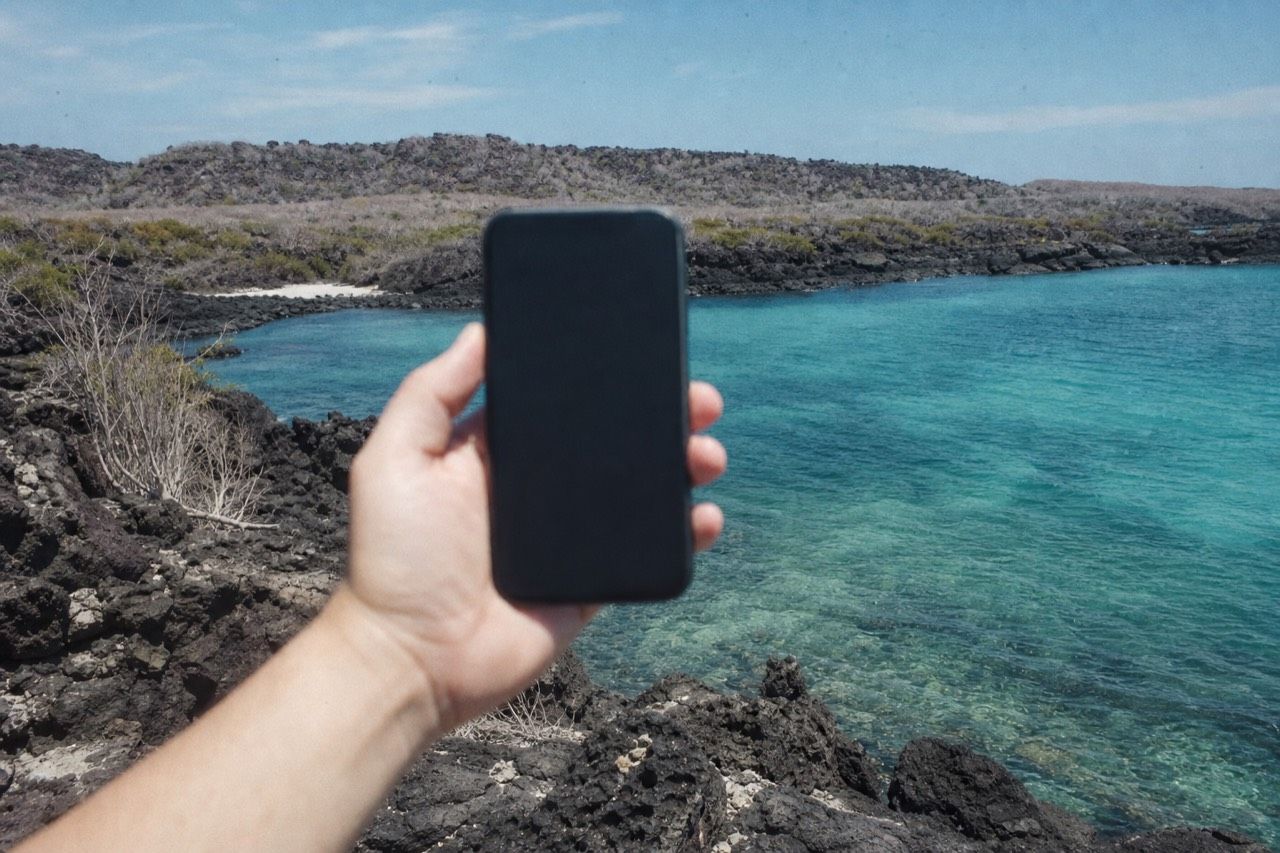
The first evening I spent in Puerto Ayora in 2021, four of us sat in a hotel courtyard watching a single page fail to load, taking turns, as if patience were a shared resource. It was. Everyone in the building was pulling on the same thin line to the mainland. Nobody had told me that in advance, and the assumption I had arrived with, that the Galapagos would be like anywhere else with a wi-fi sticker in the window, was wrong in a way that shaped the whole trip.
Is there mobile signal in the Galapagos?
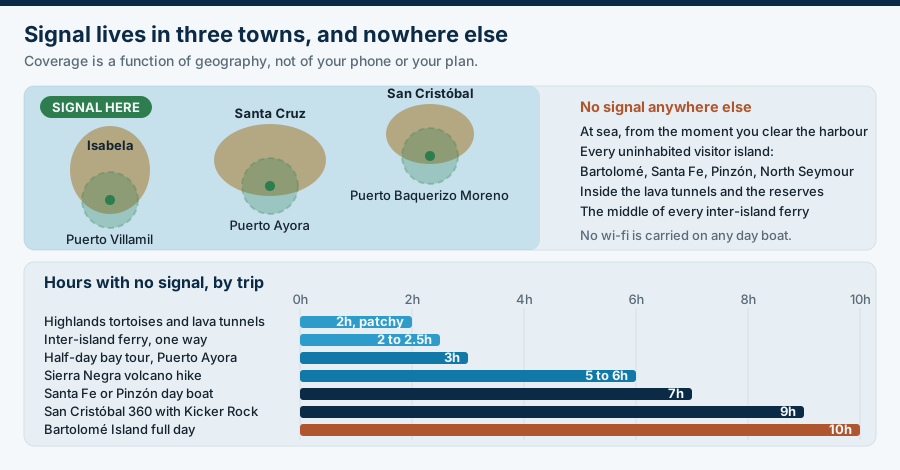
Yes, in the three port towns and their immediate surroundings: Puerto Ayora on Santa Cruz, Puerto Baquerizo Moreno on San Cristóbal and Puerto Villamil on Isabela. Ecuadorian carriers run those networks and calls, messages and basic data work. Away from the towns, at sea and at almost every visitor site, there is nothing.
That is a cleaner split than people expect. Within town you have a normal, if unspectacular, mobile experience. Step outside it and the signal falls off quickly. The Santa Cruz highlands hold patches near the road and the farm settlements, and lose it entirely inside the lava tunnels and at the tortoise reserves. The moment a boat clears the harbour, coverage ends.
There is no roaming network at sea, no repeaters on the uninhabited islands, and no wi-fi on day boats. Cruise vessels sometimes sell satellite packages, which are expensive and slow, and the 79% of visitors who stay land-based will not encounter them at all.
The practical upshot is that your connectivity is a function of geography, not of your phone or your plan. A better handset does not help. Being in town does.
| Where you are | Mobile data | Wi-fi | Notes |
|---|---|---|---|
| Puerto Ayora, Santa Cruz | Works | Hotels, cafes, restaurants | The most reliable place in the islands |
| Puerto Baquerizo Moreno, San Cristóbal | Works | Hotels and cafes | Similar to Puerto Ayora, smaller town |
| Puerto Villamil, Isabela | Works, patchier | Some hotels, often slow | The thinnest of the three towns |
| Santa Cruz highlands | Patchy near roads | Rarely | Gone inside lava tunnels and reserves |
| On a day boat, at sea | None | None | Applies to the entire crossing |
| Uninhabited visitor islands | None | None | Bartolomé, Santa Fe, Pinzón, North Seymour |
| Inter-island ferry | Signal at both ends only | None | 2 to 2.5 hours dark in the middle |
Why is hotel wi-fi so slow?
Because the bandwidth reaching the archipelago has to cross a great deal of ocean and is then shared by everyone on it. A hotel does not have a fast line that it is throttling. It has one modest connection split across every guest, and evening is when all of them try to use it at once.
Understanding that changes how you use it. The connection is not broken and complaining at reception achieves nothing, because the bottleneck sits far upstream of the building. What you can do is time your usage. Early morning, before the boats leave and before the town wakes up, is consistently the best window. Between roughly seven and ten in the evening is the worst, when every returning day-tripper is uploading photos.
Adjust your expectations by task, not by hope. Messaging works nearly always. Email works. A short voice call usually works. Video calls fail more often than they succeed. Streaming, cloud photo backup and large uploads are effectively off the table, and trying them slows the connection for everyone else in the hotel, which is a small social contract worth honouring.
| Task | Realistic on town wi-fi | Better approach |
|---|---|---|
| WhatsApp and text messaging | Yes, reliably | Nothing needed |
| Email, including small attachments | Yes | Send early morning if it matters |
| Voice call over data | Usually, with drops | Use audio, not video |
| Video call | Often fails, especially in the evening | Schedule for early morning, warn the other end |
| Cloud photo backup | No | Back up to a laptop or a card, not the cloud |
| Streaming video or music | No | Download everything before you fly |
| Online check-in, boarding passes | Yes, but do not leave it late | Download passes on the mainland |
| Map loading | Slow | Save offline maps of all three towns before arrival |
Should you buy a local SIM or use an eSIM?
For most visitors an eSIM bought before departure is the easier option: you land connected, with no shop visit and no Spanish-language paperwork. A physical Ecuadorian SIM is generally cheaper for a longer stay and easier to top up locally, but you have to buy it on the mainland, since options in the islands are limited.
The decision hinges on how long you are in Ecuador overall. A traveller doing two weeks with a mainland leg through Quito or Guayaquil has time to walk into a carrier shop, show a passport and get a local number for very little. Someone flying in, doing eight days in the islands and flying home is better served by an eSIM activated at the departure gate.
Either way, the same coverage limits apply. An eSIM does not conjure signal at Bartolomé. What it buys you is data in the towns without international roaming charges, which is the actual problem it solves.
Do not count on buying a SIM in Puerto Ayora. Registration requirements and stock are unpredictable, and the shops keep island hours. If you want a physical SIM, sort it at the airport or in the city before you fly out to the archipelago. Our entry rules and flights guide covers what else has to happen on the mainland side, including the biosecurity inspection and the transit card.
| Option | Best for | Watch out for |
|---|---|---|
| eSIM bought before departure | Short trips, one-country itineraries, convenience | Check your handset supports eSIM and is unlocked |
| Ecuadorian SIM from a mainland shop | Stays of two weeks or more, cheapest per gigabyte | Buy in Quito or Guayaquil, not in the islands |
| Home carrier international roaming | Emergencies only | The most expensive option by a wide margin |
| Hotel wi-fi alone | Budget travellers who can wait | Unusable for anything heavy, worst in the evening |
| Cafe and restaurant wi-fi | Working sessions in town | Often better than hotels, buy something |
How long will a day tour leave you offline?
Between three and ten hours, depending on the boat. A highlands trip has you back in signal in about three. A Bartolomé day or a cross-island trip to Isabela runs about ten, and there is no coverage at any point after the harbour. Plan messages around departure and return, not around the middle of the day.
This matters more than it sounds if someone at home is expecting to hear from you, or if you have a work obligation you have not fully escaped. The pattern to adopt is simple: send before you board, expect nothing until you are back on the dock.
It also shapes which tour to book on a day when you genuinely need to be reachable. Short highland trips keep you close to town, and the giant tortoise and lava tunnels tour is the obvious one, a three-hour run into the Santa Cruz highlands that has you back in Puerto Ayora with the afternoon intact. You can check live availability & prices on Viator, and its listed price is shown in the booking flow rather than on the page. The longer boat days sit alongside it on our Santa Cruz day tours page.
| Tour or transfer | Typical duration | Hours with no signal |
|---|---|---|
| Giant tortoise and lava tunnels, Santa Cruz highlands | About 3 hours | Roughly 2, patchy near the road |
| Half-day bay tour, Puerto Ayora | About 3 hours | All 3 once past the harbour |
| Sierra Negra volcano hike, Isabela | 5 to 6 hours | All of it |
| Santa Fe or Pinzón day boat | About 7 hours | All of it |
| San Cristóbal 360 with Kicker Rock | About 9 hours | All of it |
| Bartolomé Island full day | About 10 hours | All of it |
| Inter-island ferry, one way | 2 to 2.5 hours | Signal at both ends only |
Is being offline actually a problem?
Rarely, and most people end up grateful for it. The islands enforce a separation that no personal discipline achieves at home: you cannot check anything from a panga. What that produces is a trip where you look at what is in front of you, because the alternative has been removed.
There is a practical version of this argument and a softer one. The practical version: you will take fewer photographs and look more, because uploading is pointless, and the two-metre distance rule means the animals are close enough to see properly with your own eyes anyway. The softer version is the one people describe afterwards, which is that four or five days without a feed left them noticeably calmer.
None of that removes the need to prepare. Tell whoever needs to know that you will be unreachable in blocks. Download offline maps, your boarding passes, any booking confirmations and enough reading for a two-hour ferry crossing. Carry a paper note of your hotel address, because you will need it for taxis and the biosecurity paperwork and your phone may be dead.
Solo travellers should think about this a step further, since nobody else is carrying a backup phone. Our piece on doing the Galapagos solo covers the check-in habits that make the offline stretches unremarkable rather than worrying. The Galapagos Conservancy's trip planning pages are a useful place to sanity-check the rest of your logistics before you go.
One more thing worth sorting before you fly: the $20 transit control card is registered and paid online through the government system, so do it while you still have decent internet. The official park fee page sets out what you pay on arrival, which is the $200 adult entrance fee, handed over at the airport rather than online.
Is there wi-fi on Galapagos day boats?
No. Day boats carry no wi-fi and there is no mobile coverage at sea. Expect to be offline from the moment you leave the harbour until you return.Will my eSIM work as soon as I land?
If it covers Ecuador, yes, at Baltra and San Cristóbal airports and in the three towns. It will not work at sea or at uninhabited visitor sites, because there is no network there to connect to.Can I work remotely from Puerto Ayora?
For email and messaging, yes. For video calls and large uploads, plan around early mornings and expect failures. It is not a place to run a week of client meetings.Is the wi-fi better on Santa Cruz than the other islands?
Generally yes. Puerto Ayora is the largest town and has the most options, including cafes that are often faster than hotels. Puerto Villamil on Isabela is the thinnest of the three.What should I download before I fly?
Offline maps of all three towns, boarding passes, booking confirmations, your transit card receipt, and any reading or music. Assume you cannot download anything once you arrive.The courtyard scene from that first night stayed with me, but not as a complaint. By day three nobody in the group was checking anything, and the phones came out only for photographs. That is the trade the islands offer, and it is a better deal than it looks on the first evening.